

Answer Service and Pricing Questions
Provide accurate answers about your services, pricing, and business offerings in real time.
Answer Questions. Capture Leads. Grow Your Business.
PluginChatBot helps Webflow websites answer visitor questions, capture qualified leads, and provide instant AI-powered support that keeps visitors engaged without compromising your website's design. Deliver faster customer support, increase conversions, and keep your business available 24/7.






Deliver Customisable Customer Support
Give visitors instant access to the information they need with AI-powered conversations. Answer common business questions, improve engagement, and guide visitors toward the next step with confidence.
Provide accurate answers about your services, pricing, and business offerings in real time.

Help visitors quickly find contact details, business hours, and other important information.

Guide visitors through your workflow, project stages, or service process with AI-powered responses.

Answer booking questions and encourage visitors to submit enquiries or request consultations.

Deliver fast, personalised AI support that keeps visitors engaged and increases conversions.
Easy Webflow Setup
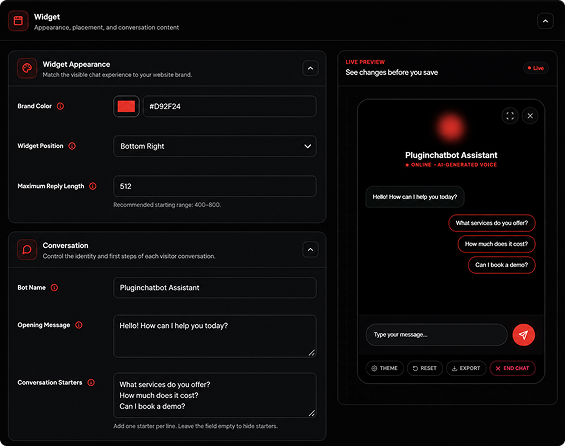
Sign in to your PluginChatBot account and create or select your chatbot.
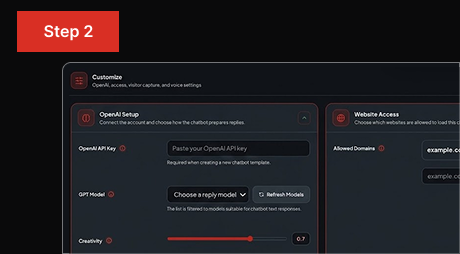
Choose an AI model, customise your AI persona, and upload your business information. PluginChatBot manages the private website key.
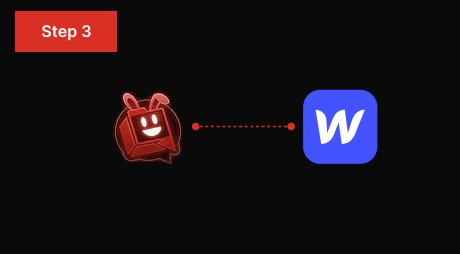
Generate your chatbot embed code and add it to your Webflow website to start helping visitors instantly.
Collect Visitor Details for Follow-Up
Turn high-intent website visitors into valuable business opportunities by collecting lead information during AI conversations.
Capture names, email addresses, and phone numbers automatically.
Record customer questions and project requirements for more effective follow-up.
Identify the services or solutions visitors are looking for.
Collect valuable lead information before your team gets involved.
Follow up with qualified prospects and convert more website visitors into customers.
 What is PluginChatBot for Webflow?
PluginChatBot is an AI chatbot that helps Webflow websites answer visitor questions, capture qualified leads, and provide instant customer support directly on the website.
 How does the Webflow AI chatbot work?
Choose an AI model, add your business information, then add the embed code to your Webflow site so the chatbot can answer visitors instantly. PluginChatBot manages the website's private AI key.
 Can I customise the chatbot to match my Webflow website?
Yes. You can customise the chatbot’s name, welcome message, colours, and design to match your Webflow website and brand.
 Can the chatbot capture visitor details?
Yes. The chatbot can collect names, emails, and phone numbers during conversations so you never miss a lead.
 Is PluginChatBot suitable for agencies and SaaS websites?
Yes. PluginChatBot works well for agencies, SaaS platforms, and business websites that want to capture leads and support visitors automatically.
 Is PluginChatBot easy to install on Webflow?
Yes. Generate the embed code and add it to your Webflow site. No coding is required, and your chatbot can be live within minutes.


